Proofread File
AI Proofreading that Won’t Break Your Formatting
Save time with automatic edits while keeping your document formatting intact, and download it with tracked changes.
Works on MS Word & LaTeX files
Available Languages
- English
- Spanish

Check out the easy walk-through video to get started with Proofread File in no time.
It is a detailed step-by-step tutorial to help you use Trinka to its fullest.
Have more questions? Browse through our FAQs here.
Avoid the hassle of installing plug-ins. Edit your MS Word or LaTeX file in one go.

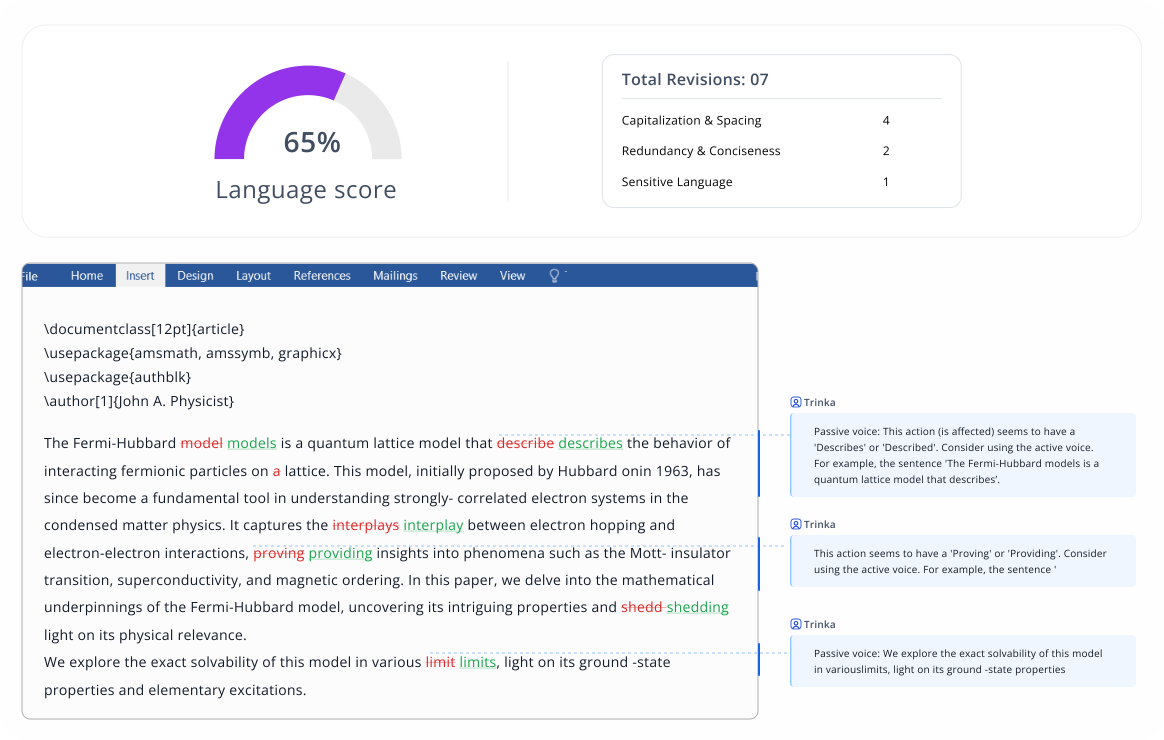
Get suggestions in a tracked changes version that you can download and finalize. For LaTeX files, you also get an MS Word file with tracked changes.
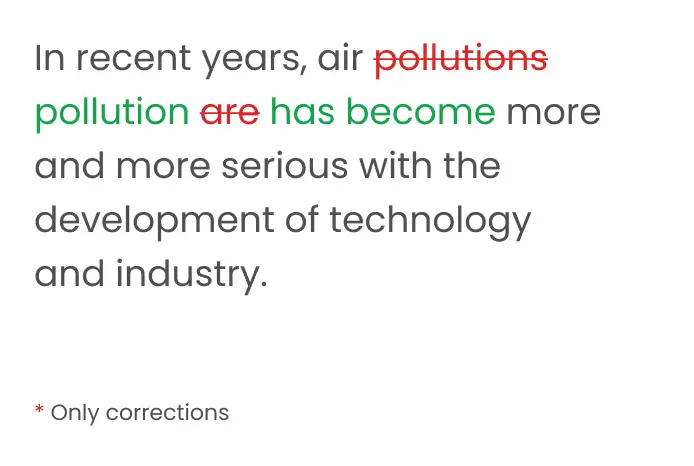
Your content will be updated with all changes made as track changes, ensuring the original formatting is always retained.

Get an indicative score of the overall language quality of the document based on the number of revisions by category.

View a detailed table of revisions by language category for a quick understanding of the type of edits made.

Tailor the grammar & word choice of your manuscript to comply with popular academic style guides (AMA 11th, AGU 2017).

Customize Trinka to provide you the most relevant suggestions based on your subject area and type of manuscript.
Fix complex grammar and spelling errors. Improve your style and tone.

Fix basic grammar and language errors.
Trinka My Drive
My Device
DropBox
Google Drive
With Confidential Data Plan, protect your data to meet
the privacy and compliance needs.



Credits are like tokens that let you use several Trinka features as needed.
Users get free credits every month based on the subscription plan. To know more, click here.
Additionally, you get up to 64% discount on credit pack purchases.
You can upload one document at a time that you wish to automatically edit on Trinka. Only 1 credit is used for every 5000 words in your file(s).
Just Sign up on Trinka. You will find the Proofread File option on the left navigation panel.
Upload a document and click on start editing. Voila! Get your auto-edited document in minutes!
Proofread File uses 1 credit for every 5000 words in your file. Every month, Basic users get 4 free credits, Premium users get 10 free credits, Premium Plus users get 20 free credits, and Confidential Data Plan users get 50 free credits.
Yes, Trinka is a privacy-first AI writing assistant and it keep your data completely secure and private. It is not shared with anyone or published anywhere. To know more about our data security practices, click here.
You upload your LaTeX file, the uploaded documents will be processed and AI-suggested corrections will be applied to them. In addition to your original LaTeX file with the changes made, you will also get an MS Word file with all the made changes shown using “Track changes” feature of MS Word.
Moreover, you also get detailed information about the number of revisions, type of grammatical errors made, and an overall writing quality score.
No. Trinka is not directly integrated with Overleaf but you can upload your final file from Overleaf and get it Proofread with Trinka in minutes.
Trinka Proofread is an automatic proofreader, while Language Tool for LaTeX requires manual selection of suggestions. Trinka is particularly tailored for LaTeX grammar checks and is ideally suited for academics and technical writers.