Teaching & Learning
- AI use for graded coursework is set at the course or assignment level by instructors rather than through one uniform university-wide rule
- UIS provides syllabus and assignment policy templates ranging from no AI use, to minor uses only, to assignment-specific AI integration, and directs students to review individual assignment instructions
The UIS Syllabus and Assignment Icons, adapted from the Oregon State project, represent some approaches to generative AI use for course policies and assignments. Syllabus statements are also a great way to frame the conversation about generative AI with your students. As instructors, it is important to provide guidance on acceptable generative AI usage from the start of a course. Instructors are encourages to modify and adapt the descriptions to fit courses and assignments.
Minor Uses Permitted: For this course, you must be the author of all work. You may use AI in some minor ways.
AI Integration by Assignment: In this course, students are permitted to integrate AI into someof the substantive work of the course. Review individual assignments to determine permissible uses.
Do Not Use: For this course, students are not permitted to use AI applications such as ChatGPT, Gemini, or Bing for any purpose.
- UIS template guidance says AI may be prohibited during quizzes and tests
- This appears in the syllabus icon language instructors can adopt, so the restriction is expressed through instructor/course policy rather than as a standalone university-wide exam rule
Minor Uses Permitted: ...Unless explicitly permitted in the assignment, you may not use AI for any purpose while taking a quiz or test, generate content that is directly used in an assignment (such as code, text, images, or other media), solve problems from assignments, write a first draft of a paper or essay, write all or part of a discussion post, or analyze data. Always review individual assignments for specific instructions.
Do Not Use: For this course, students are not permitted to use AI applications such as ChatGPT, Gemini, or Bing for any purpose.
- UIS materials allow instructors to permit AI for study support and other limited learning uses
- The sample syllabus language includes review and self-quizzing as acceptable minor uses when the instructor adopts that policy
Minor Uses Permitted: For this course, you must be the author of all work. You may use AI in some minor ways. For example, unless otherwise specified in the assignment, you may use AI to [faculty insert examples of what is acceptable. For example: generate ideas, polish or edit text you have drafted, create an outline of an essay, modify or design presentation slides, review content, quiz yourself, or for other studying purposes].
- UIS does not set a single uniform rule for AI code generation in student work
- Its template language shows that instructors may forbid AI-generated code under a minor-use policy, may ban AI entirely, or may allow AI integration on particular assignments subject to instructor requirements
For example: for any purpose while taking a quiz or test, generate content that is directly used in an assignment (such as code, text, images, or other media), solve problems from assignments, write a first draft of a paper or essay, write all or part of a discussion post, or analyze data.] Always review individual assignments for specific instructions.
AI Integration by Assignment: In this course, students are permitted to integrate AI into someof the substantive work of the course. Review individual assignments to determine permissible uses. Unless otherwise noted, you should be able to demonstrate how you contributed to an assignment. [Faculty add specific requirements for AI use.
First draft work product generation: for example, using AI to generate initial work product for an assignment like a first draft of a text, code, graphic, spreadsheet, PowerPoint, etc.
Do Not Use: For this course, students are not permitted to use AI applications such as ChatGPT, Gemini, or Bing for any purpose.
Research
- The cited materials do not define a separate research-specific policy for AI analysis workflows
- UIS provides AI platform guidance that includes data analysis as a possible use case for Microsoft Copilot, but it restricts the kinds of university data that may be entered
* Use Cases: Explore its diverse applications ranging from content generation and data analysis to learning new skills and lesson planning.
When using Copilot with Data Protection, exercise care when entering information into the prompt. Copilot with Data Protection is being offered for use with Public Information only, as defined in our data classification chart. Internal, Sensitive, and High–Risk data may not be entered into Copilot with Data Protection.
Academic Integrity
- These requirements are presented as faculty-selectable course policies rather than a single universal disclosure rule
- UIS provides optional instructor language requiring attribution when AI-generated language is used, and some assignment-integration templates require students to document how AI was used
[faculty insert optional statement: If you are using language generated by an AI app, you must properly attribute that use by putting that language in quotation marks and adding a citation just like you would when you copy language from human authors.]
AI Integration by Assignment: In this course, students are permitted to integrate AI into someof the substantive work of the course. Review individual assignments to determine permissible uses. Unless otherwise noted, you should be able to demonstrate how you contributed to an assignment. [Faculty add specific requirements for AI use.
For example: you are required to keep drafts of assignments and generative AI logs that demonstrate how you used AI and what portion of an assignment’s content was generated by AI].
- UIS allows instructors to use Copyleaks for plagiarism and AI detection in Canvas, but it explicitly warns that AI detection is not definitive and should be only one data point
- UIS guidance also says alleged AI violations must be discussed with students, and faculty-facing materials mention possible consequences such as zeros or academic integrity violations after expectations have been communicated
Copyleaks can assist instructors in detecting and preventing plagiarism. Copyleaks crawls the internet for content that is not behind paywalls. It also has an integrated AI detector that is enabled and scored separately from the plagiarism detector.
When using this tool, it is important for instructors to assess the whole of the work in the context of their discipline and other student writing samples.
Remember that AI detection is not foolproof and may produce false positives, especially for students whose first language is not English. Use Copyleaks AI detection results as one data point and a starting point for discussion rather than definitive evidence of academic dishonesty.
Alleged violations of the academic integrity policy must be discussed with the student(s) (See Step 3 of the AIC process flowchart).
Tell them the consequences for using an AI chatbot moving forward (zeroes, academic integrity violations, etc).
Institutional & Administrative
- UIS actively supports faculty and staff use of AI tools for teaching and administrative work
- The AI tools pages specifically identify Canvas AI for grading-related support and Microsoft Copilot for faculty and staff, including lesson planning and other productivity uses, while also instructing users to protect data
Canvas AI enhances teaching efficiency with Discussion Summaries for key insights, Smart Search for context-aware results, and Harmonize Rubrics for streamlined grading rubric creation.
Microsoft 365 Copilot enhances productivity with AI-powered tools in Outlook, Teams, and Office apps, ensuring secure use for non-public university data, and is available to Faculty and Staff via the Webstore.
* Use Cases: Explore its diverse applications ranging from content generation and data analysis to learning new skills and lesson planning.
- UIS identifies institutionally available AI platforms and sets data protection limits for their use
- Microsoft 365 Copilot is approved for faculty and staff with UIS login and enterprise protection, but users must not enter internal, sensitive, high-risk, personal, or non-public data beyond the stated allowances; Adobe Firefly is also restricted for sensitive or high-risk data, and Zoom AI Companion is described as protected under a BAA
Microsoft 365 Copilot enhances productivity with AI-powered tools in Outlook, Teams, and Office apps, ensuring secure use for non-public university data, and is available to Faculty and Staff via the Webstore. You must be signed in to Copilot with your UIS credentials so that your data is protected by enterprise data protection (EDP).
* Privacy: Refrain from inputting internal, sensitive, high-risk, or personal information.
When using Copilot with Data Protection, exercise care when entering information into the prompt. Copilot with Data Protection is being offered for use with Public Information only, as defined in our data classification chart. Internal, Sensitive, and High–Risk data may not be entered into Copilot with Data Protection. As with other services, do not include personal information about yourself or others in prompts.
Adobe Express and Adobe Firefly offer generative AI tools for creative projects, accessible to faculty, staff, and students with Creative Cloud licenses, but not for sensitive or high-risk data.
UIS licensed Zoom accounts now have access to Zoom AI Companion.
UIS has a Business Associates Agreement (BAA) with Zoom, ensuring that sensitive university data is protected when stored and processed within the platform.
- UIS has an institution-level AI strategy and governance structure
- The university presents AI as part of its educational and ethical mission, and the AI Steering Committee is charged with coordinating special interest groups, developing campus-wide roadmaps, and aligning practices with ethical guidelines and policies
The University of Illinois Springfield (UIS) is pioneering an educational framework that not only prepares a new generation for the complexities of an AI-driven world but also places the institution at the heart of shaping the future and ethical direction of AI.
At the University of Illinois Springfield, we're pioneering the integration and advocacy of Artificial Intelligence (AI).
It coordinates special interest groups aimed at harnessing AI's potential and addressing its challenges, creating strategic roadmaps for campus-wide initiatives. The committee also champions AI awareness within the university and the broader community, ensuring practices align with ethical guidelines and policies, with the goal of positioning UIS as a leader in the AI landscape.
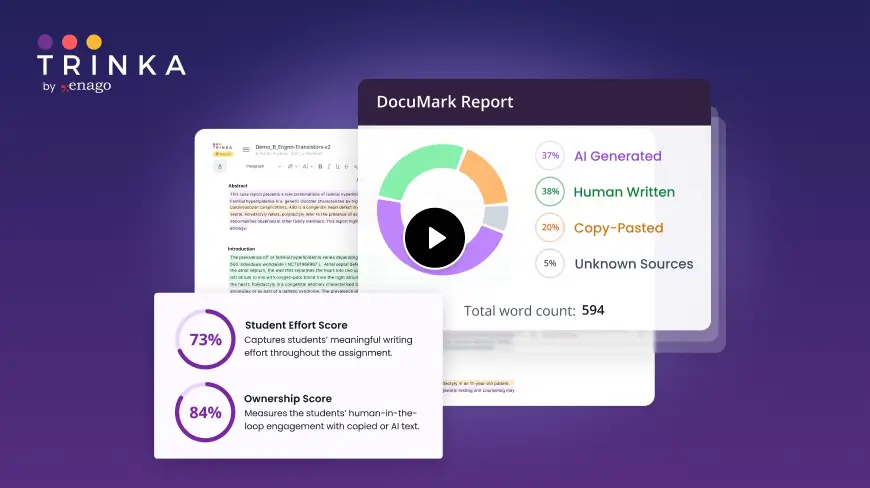
DocuMark: Responsible AI Use for Academic Integrity
Knowing your institution's AI policy is step one. DocuMark helps enforce it fairly by empowering universities to manage AI-generated content, prevent cheating, and support student writing through responsible AI use.
Common Questions About University of Illinois Springfield's AI Policies
University of Illinois Springfield has defined AI policies in 10 of 12 categories, with an overall coverage score of 83%.
UIS provides optional instructor language requiring attribution when AI-generated language is used, and some assignment-integration templates require students to document how AI was used. These requirements are presented as faculty-selectable course policies rather than a single universal disclosure rule.
UIS allows instructors to use Copyleaks for plagiarism and AI detection in Canvas, but it explicitly warns that AI detection is not definitive and should be only one data point. UIS guidance also says alleged AI violations must be discussed with students, and faculty-facing materials mention possible consequences such as zeros or academic integrity violations after expectations have been communicated.
UIS identifies institutionally available AI platforms and sets data protection limits for their use. Microsoft 365 Copilot is approved for faculty and staff with UIS login and enterprise protection, but users must not enter internal, sensitive, high-risk, personal, or non-public data beyond the stated allowances; Adobe Firefly is also restricted for sensitive or high-risk data, and Zoom AI Companion is described as protected under a BAA.