


How to Read a Plagiarism Report: What Do the Highlights and Sources Mean?

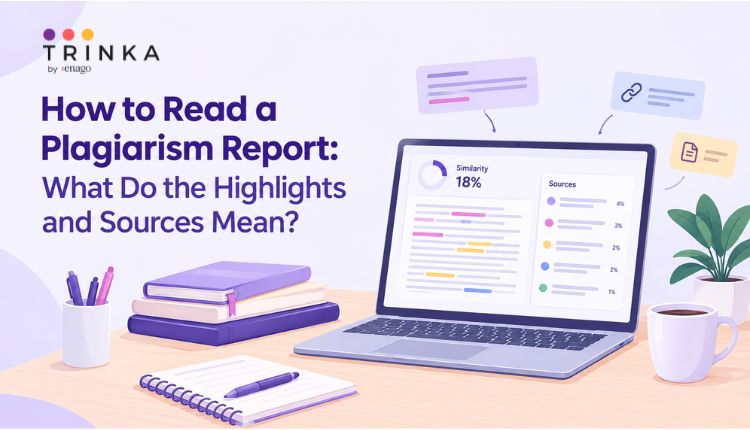
You ran your paper through a plagiarism checker and received a report. There are highlighted sentences everywhere, a list of sources on the side, and a similarity percentage at the top.
But what does it all mean?
If this is your first time looking at a plagiarism report, it can be difficult to tell which matches you actually need to worry about. A highlighted sentence does not automatically mean you have plagiarized, and a high similarity percentage does not tell you the whole story. A tool such as the Trinka Plagiarism Checker can show you the matched text and sources, but understanding what those matches mean is still important.
The useful part of a plagiarism report is the detail behind the score. Once you know how to read those details, you can decide which sections are fine and which ones may need changes.
What Is a Plagiarism Report?
A plagiarism or similarity report shows where text in your document matches content found in other sources.
Depending on the tool, the report may show an overall similarity percentage, highlight matching text in your document, and provide the sources where those matches were found.
Think of the report as a starting point for review. It shows you where similarities exist, but you still need to look at each match and understand why it appears.
What Does the Similarity Percentage Mean?
The similarity percentage gives you an overall indication of how much text in your document matches content in the sources checked by the tool.
For example, a report showing 15% similarity means that some portion of your document matches text found in the sources included in the check.
It does not mean that 15% of your paper is plagiarized.
The percentage can include properly cited quotations, references, commonly used academic phrases, technical terms, or other legitimate matches. This is why there is no single percentage that automatically means a paper contains plagiarism.
Instead of asking, “Is 15% bad?” look at what makes up that 15%.
What Do the Highlights Mean?
The highlighted sections are the parts of your document that match text found in other sources.
Different colours may be used to distinguish between different sources. For example, one colour may represent a match from one paper while another colour represents a match from a different website.
The exact colours and layout depend on the plagiarism checker, so don’t focus too much on the colour itself. Focus on the text that has been highlighted and the source connected to it.
For each highlighted section, ask:
- Is this a direct quotation?
- Have I cited the source?
- Is this a common academic or technical phrase?
- Is my paraphrasing too close to the original?
- Did I accidentally copy this wording?
This helps you understand whether the match needs attention.
What Does the Source List Tell You?
The source list shows where the matching text was found.
A source could be a journal article, website, research paper, book, or another document included in the plagiarism check.
When you click or review a source, you can usually connect it to the highlighted passage in your document. This is useful because the same percentage can mean very different things depending on the sources involved.
For example, imagine your report shows 20% similarity. If much of that comes from your reference list and two properly cited quotations, the situation is very different from a 20% match that comes largely from one source you did not cite.
The source list gives you the context needed to make that distinction.
What Does an Individual Match Mean?
An individual match refers to a specific piece of text that overlaps with another source.
Not every match needs to be removed.
A properly cited quotation
If you have used an author’s exact words and cited the source correctly, the text will still match the original. That is expected.
A common phrase
Academic writing often uses familiar phrases such as “the results of the study indicate” or “the data were collected.” These may appear in many documents.
A technical term
Some scientific, medical, legal, or academic terms cannot be replaced easily without changing their meaning.
A passage that is too close to the source
This is where you need to take a closer look. If you have changed only a few words while keeping the original sentence structure, the passage may need to be rewritten, even if you have included a citation.
How Should You Review a Plagiarism Report?
Start with the largest or most noticeable matches. Then work through them one at a time.
If the passage is correctly quoted and cited, you may not need to change it. If it contains a common phrase or technical term, it may also be acceptable.
If the wording is too close to another source, rewrite the passage in your own words and structure while keeping the citation.
You should also check whether your reference list, quotations, or other sections are included in the report. Some plagiarism checkers allow certain sections to be excluded, depending on the purpose of the check.
The Trinka Plagiarism Checker can help you review matched text and the sources connected to it, making it easier to identify which passages need a closer look.
What Should You Do After Reading the Report?
Once you have reviewed the matches, you can decide what actually needs to change.
You may need to:
- Add a missing citation
- Clearly mark a direct quotation
- Rewrite a passage that is too close to the original
- Improve a paraphrase while keeping the citation
- Leave legitimate matches unchanged
- Review references or other sections that are contributing to the score
The goal is not to remove every highlighted section. The goal is to make sure your paper clearly distinguishes your own writing from words and ideas taken from other sources.
Final Thoughts
A plagiarism report can look complicated at first, but the basic idea is simple. The percentage tells you how much similarity was detected, the highlights show where it occurs, and the source list tells you where the matching text was found.
Once you understand these three parts, you can read the report more confidently and make better decisions about your writing.
Don’t judge your paper by the percentage alone. Look at the matches, understand why they appear, and then decide what needs to be changed.
Enhance Your Writing with Trinka’s Grammar Checker
Trinka’s Grammar Checker is designed to help writers produce clear, polished, and publication-ready content with ease. Whether you’re drafting academic papers, professional documents, or blog posts, Trinka ensures your writing is precise, consistent, and impactful, making it a trusted companion for anyone aiming to communicate effectively in English.
Frequently Asked Questions
Does every highlighted section mean plagiarism?▼
No. A highlighted section can be a properly cited quotation, a common phrase, a technical term, or another legitimate match.
What does a high similarity percentage mean?▼
It means the checker found a relatively large amount of matching text. It does not automatically mean that the document contains plagiarism.
Should I remove every highlighted match?▼
No. Review each match first. Properly cited quotations and legitimate academic or technical language may not need to be changed.
How can I understand where my similarity score comes from?▼
Review the highlighted passages alongside the source list. This shows which parts of your document match other sources and helps you decide which sections need attention.

-
Go beyond grammar & spelling
Get holistic language improvements - Write with Trinka