


Online vs Offline Grammar Checkers: Which Should You Choose?

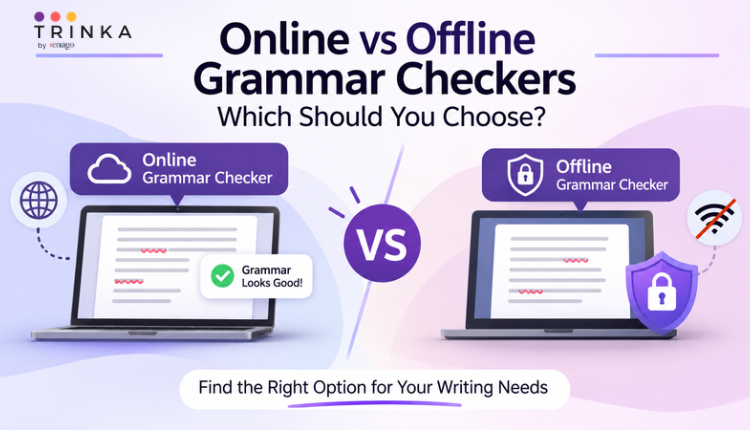
Proofreading an unpublished research paper or confidential report requires attention to more than grammar and punctuation. Writers also need to consider where their documents go when they use online writing tools. While an online grammar checker makes editing convenient, using one may involve sending document text to an external service for processing.
For researchers working with unpublished findings, confidential manuscripts, or sensitive information, this can raise an important question: Can they improve their writing without uploading their documents to the cloud?
This is where offline grammar checkers become relevant. They allow users to review their writing without sending text to a cloud-based service. Understanding the differences between online and offline grammar checkers can help you choose a tool that meets both your writing and privacy requirements.
Why Do Researchers Need an Offline Grammar Checker?
Research documents can contain information that should not be shared outside a research team or institution. Unpublished findings, experimental data, confidential manuscripts, and sensitive project details may all require careful handling.
At the same time, these documents need thorough proofreading. Grammar mistakes, unclear sentences, and punctuation errors can affect how research is communicated. Researchers should not have to avoid grammar-checking tools simply because they are concerned about document privacy.
Using an online grammar checker may involve transferring text to an external service. How that text is processed, stored, or retained depends on the provider’s data-handling policies.
An offline grammar checker offers another option. When grammar checking is performed locally, document text does not need to be sent to a cloud service for checking.
This can be particularly useful for:
- Unpublished manuscripts: Researchers can proofread drafts before sharing or submitting them.
- Confidential research findings: Teams can review documents containing information that is not yet publicly available.
- Medical and healthcare documents: Professionals handling sensitive information may have additional data protection requirements.
- Institutional research: Universities and research organisations may have policies governing how internal documents are processed.
- Technical reports: Professionals can review confidential project documents without relying on cloud-based proofreading.
For these users, offline grammar checking is not just about working without an internet connection. It is about having greater control over how their document content is handled.
What Is an Online Grammar Checker?
An online grammar checker is a tool that allows users to review their writing through a website or cloud-based application. Users typically enter or upload text, and the tool identifies grammar, spelling, punctuation, and other language issues.
Online grammar checkers are popular because they are easy to access and often offer several writing features.
Some common benefits include:
- Easy accessibility: Most online grammar checkers can be accessed through a web browser without installing desktop software.
- Quick corrections: Writers can identify spelling, punctuation, and grammar errors while drafting or proofreading.
- Additional writing features: Some tools offer paraphrasing, sentence rewriting, and language clarity suggestions.
- Convenient access: Users can work from different devices, provided they have an internet connection and access to their accounts.
However, online grammar checkers generally require an internet connection. Users working with unpublished or sensitive documents should also review the provider’s privacy policy to understand how their text is processed and handled.
What Is an Offline Grammar Checker?
An offline grammar checker allows users to review their writing without an active internet connection. Depending on the software, grammar checking can be performed locally on the user’s computer instead of sending text to an online service.
This makes offline tools useful for people who need to keep document content on their devices.
Some common benefits include:
- No internet dependency: Users can check grammar without an active internet connection once the software is properly set up.
- Local processing: Tools designed for offline use can process text on the device rather than sending it to cloud services.
- Greater control over document handling: Local processing reduces the need to transfer document content to an external service.
- Useful for confidential work: Researchers and professionals can review unpublished or sensitive documents while keeping their text off cloud-based services.
Offline grammar checkers may require desktop installation and can offer different features from their online versions. Users should verify how the software processes and stores documents before choosing one.
Online vs Offline Grammar Checkers: Key Differences
Both types of grammar checkers help writers identify language errors, but they differ in how they are accessed and how documents are processed.
| Factor | Online Grammar Checker | Offline Grammar Checker |
|---|---|---|
| Internet connection | Usually required | Not required during offline use |
| Accessibility | Often browser-based | Usually requires desktop software |
| Document processing | May use cloud-based services | Can process text locally |
| Document privacy | Depends on provider’s policies | Can avoid sending text to the cloud |
| Features | May offer cloud-based writing features | Features depend on installed software |
| Best suited for | Everyday writing and quick proofreading | Confidential documents and offline work |
Neither option is automatically better for every writer. Online tools offer convenience, while offline tools can be more appropriate when document privacy is a priority.
When Should You Choose an Online Grammar Checker?
An online grammar checker is a practical choice for everyday writing tasks. If you regularly write emails, articles, assignments, or general business documents, browser-based access can make proofreading easier.
It may be suitable when:
- You need quick grammar corrections while writing.
- You work across multiple devices.
- You want access to features such as paraphrasing and sentence suggestions.
- Your documents can be processed online under the tool provider’s privacy terms.
For routine writing, online grammar checkers offer convenient access to writing support without requiring desktop installation.
When Should You Choose an Offline Grammar Checker?
An offline grammar checker may be a better option when your documents contain information that should not be sent to external cloud services.
Consider using one if you regularly work with unpublished research, confidential manuscripts, sensitive professional reports, or internal institutional documents.
It can also be useful when your organisation has strict requirements about where document content can be processed.
Before choosing an offline tool, check whether grammar checking happens locally, whether the tool requires an internet connection for setup or updates, and how it handles temporary files and document storage.
The important distinction is that an offline tool should provide more than an offline interface. Its grammar-checking process should actually take place on the device.
How Trinka Supports Offline Grammar Checking
Researchers and professionals should not have to compromise on proofreading when working with confidential documents. Trinka addresses this need through its Confidential Data Plan.
Trinka offers offline grammar checking through Private Mode in its Windows desktop application. Available with the Confidential Data Plan, this feature allows users to check grammar without sending their text to the cloud.
This gives users an option to review grammar and improve language clarity while keeping their document content on their devices.
The Confidential Data Plan is particularly relevant for organisations and professionals working with confidential information. It also offers a way to use Trinka’s grammar-checking capabilities in workflows where document privacy is an important consideration.
For everyday proofreading, Trinka’s regular online Grammar Checker is available through its web editor, MS Word add-in, and Windows desktop application.
The choice is straightforward: use online grammar checking when convenience is the priority, and consider Trinka’s offline Private Mode when you need grammar support without sending your text to the cloud.
Final Thoughts
Grammar checking should not come at the expense of document confidentiality. While online grammar checkers are convenient for everyday writing, researchers and professionals handling unpublished or sensitive material may need a different approach.
An offline grammar checker can help them review grammar and improve language clarity without transferring document text to a cloud-based service. The right choice depends on the nature of the document, the tool’s data-handling practices, and your organisation’s privacy requirements.
With offline grammar checking through Private Mode in its Confidential Data Plan, Trinka gives researchers and professionals another way to proofread their work while keeping their text off the cloud.
Enhance Your Writing with Trinka’s Grammar Checker
Trinka’s Grammar Checker is designed to help writers produce clear, polished, and publication-ready content with ease. Whether you’re drafting academic papers, professional documents, or blog posts, Trinka ensures your writing is precise, consistent, and impactful, making it a trusted companion for anyone aiming to communicate effectively in English.
Frequently Asked Questions
Why do researchers need an offline grammar checker?▼
It allows them to proofread unpublished or sensitive documents without sending their text to the cloud.
Can a grammar checker work without the internet?▼
Yes, some desktop grammar checkers offer offline modes that work without an active internet connection.
Is an offline grammar checker more private than an online one?▼
It can reduce cloud-based data transfers by processing text locally, but users should still check the software’s data-handling practices.

-
Go beyond grammar & spelling
Get holistic language improvements - Write with Trinka