Teaching & Learning
- The college provides draft syllabus policies ranging from unrestricted use, to use with acknowledgment, to no use without prior approval
- In CSIT courses, students may use AI only for specifically listed support tasks and must follow assignment-specific instructor requirements
- Use of generative AI in coursework is generally at instructor discretion, and faculty are directed to clarify allowed and prohibited uses in their syllabi and assignments
As a faculty member, if your students are using these tools in your class, it is up to you to decide if using them is acceptable or not.
Faculty should include in the syllabus and assignment prompts details on what students are expected to do and why, and be clear on how students can use AI tools as support.
Openly permit AI use for all coursework and assessments, with no restrictions.
You may use AI tools to assist your learning in this course, including completing assignments and assessments. Be aware that any AI-generated work you submit should represent your own understanding and be relevant to course content. Ensure that any AI use complies with Austin Community College’s AI guidance and any assignment-specific instructions provided.
Permit AI use but require acknowledgment and proper citation.
You may use AI tools to assist your learning in this course, including brainstorming, drafting, researching, and checking your work. To maintain academic integrity, any AI-generated contributions must be acknowledged and cited according to assignment instructions. You are responsible for reviewing and editing any AI-generated work to ensure it is accurate, relevant, and reflects your own understanding. Misrepresenting AI-generated work as fully your own may violate Austin Community College’s Academic Integrity standards.
Prohibit all AI use unless explicitly approved by the instructor.
The use of AI tools is not permitted in this course unless explicitly authorized by the instructor for a specific assignment or activity. Unauthorized use of AI-generated content may be considered a violation of Austin Community College’s Academic Integrity Policy.
Students are encouraged to use AI-powered tools to support learning and skill development in Computer Science and Information Technology (CSIT) courses. These tools can be helpful for understanding concepts, debugging, generating example code, brainstorming project ideas, and improving written communication.
Use approved AI tools as a support—not a shortcut.
Ask your instructor for assignment-specific guidelines.
- Draft syllabus language includes options that explicitly cover assessments
- Faculty are advised to communicate their expectations clearly in the syllabus and assignment prompts
- There is no single college-wide rule for AI use in exams and assessments; faculty may choose whether to allow, require acknowledgment of, or prohibit AI use in assessed work
As a faculty member, if your students are using these tools in your class, it is up to you to decide if using them is acceptable or not.
Faculty should include in the syllabus and assignment prompts details on what students are expected to do and why, and be clear on how students can use AI tools as support.
Openly permit AI use for all coursework and assessments, with no restrictions.
You may use AI tools to assist your learning in this course, including completing assignments and assessments. Be aware that any AI-generated work you submit should represent your own understanding and be relevant to course content. Ensure that any AI use complies with Austin Community College’s AI guidance and any assignment-specific instructions provided.
Permit AI use but require acknowledgment and proper citation.
You may use AI tools to assist your learning in this course, including brainstorming, drafting, researching, and checking your work.
Prohibit all AI use unless explicitly approved by the instructor.
- Students are told to verify AI outputs and not rely on the tools as substitutes for their own judgment
- In CSIT, AI is explicitly supported for concept understanding, debugging, brainstorming, and communication improvement
- The college encourages use of AI as a learning support tool for studying, concept development, and practice, while emphasizing critical review and personal responsibility
Students are encouraged to use AI-powered tools to support learning and skill development in Computer Science and Information Technology (CSIT) courses. These tools can be helpful for understanding concepts, debugging, generating example code, brainstorming project ideas, and improving written communication.
Use approved AI tools as a support—not a shortcut.
Review and verify AI-generated content carefully; these tools may produce incorrect or misleading information.
You can encourage students to use a Generative AI system for learning support and engagement in assignments.
Students can use generative AI to create examples to support understanding.
Students can use generative AI to review and support understanding of assignment directions.
Students can use generative AI to compare and improve their own writing.
Students can use generative AI to test their knowledge and understanding.
The use of generative AI tools can support students’ efforts to read difficult texts or improve understanding as they read.
Generative AI can also support students who need help understanding and following assignment instructions and requirements.
Generative AI can also support students in their engagement in a particular discipline or task. Students can use it to generate examples and provide feedback, helping them learn to identify quality examples.
- Expectations may vary by instructor and assignment
- The policy prohibits submitting AI-generated code as one's own, using AI to bypass learning, or using it in ways that violate assignment-specific restrictions
- In CSIT, AI tools may be used to support programming work, including debugging, generating example code, and using approved code-completion tools, but students remain responsible for understanding and reviewing the code
Students are encouraged to use AI-powered tools to support learning and skill development in Computer Science and Information Technology (CSIT) courses. These tools can be helpful for understanding concepts, debugging, generating example code, brainstorming project ideas, and improving written communication.
Approved uses of AI in CSIT coursework include:
• Getting explanations of coding concepts or syntax
• Generating sample code snippets to learn from
• Debugging code with AI-generated suggestions
• Using approved code-completion tools (e.g., GitHub Copilot) where permitted
• Improving the clarity and organization of writing in documentation or reports
Inappropriate or dishonest uses of AI include:
• Submitting AI-generated code, writing, or project work as your own without understanding or acknowledgment
• Using AI tools during assessments or assignments where their use is prohibited
• Relying on AI to bypass learning essential skills or concepts
• Copying and pasting AI output without review, testing, or modification
You are responsible for all work submitted under your name—including content generated or suggested by AI tools.
Review and verify AI-generated content carefully; these tools may produce incorrect or misleading information.
Ask your instructor for assignment-specific guidelines.
Research
Academic Integrity
- The requirements are presented through course-level or draft syllabus policy language rather than a single universal college-wide rule
- When faculty choose a disclosure-based approach, students are required to acknowledge and cite AI-generated contributions according to assignment instructions
- CSIT policy also requires acknowledgment when AI-generated work is submitted and makes students responsible for ensuring submitted work reflects their own understanding
Permit AI use but require acknowledgment and proper citation.
To maintain academic integrity, any AI-generated contributions must be acknowledged and cited according to assignment instructions.
Students may use AI tools to support their learning and work in this course, but any use of AI-generated content must be clearly acknowledged and appropriately cited.
Failure to disclose AI assistance when required may be considered a violation of academic integrity standards.
Submitting AI-generated code, writing, or project work as your own without understanding or acknowledgment
You are responsible for all work submitted under your name—including content generated or suggested by AI tools.
- Draft AI syllabus language also states that unauthorized AI use may violate academic integrity standards
- Unauthorized or undisclosed AI use may be treated as academic misconduct and handled through the college's academic integrity process
- The academic integrity process does not contain AI-specific detection rules, but it states that cheating can include using unauthorized materials or technology and that suspected violations are reported and adjudicated through the instructor and dean process
Unauthorized use of AI-generated content may be considered a violation of Austin Community College’s Academic Integrity Policy.
Failure to disclose AI assistance when required may be considered a violation of academic integrity standards.
Cheating includes, but is not limited to:
using unauthorized materials, technology, or assistance to complete a course assignment or assessment, or collaborating with another person when not permitted;
Violations of academic integrity are prohibited at Austin Community College and may result in disciplinary action. Faculty are responsible for reporting any suspected violations and assigning an appropriate academic sanction, which is any grade penalty up to and including an F in the course. Students have the right to contest an academic integrity allegation or sanction through the process outlined in Administrative Rule 4.0301.01.
Institutional & Administrative
- Faculty are also advised to decide and communicate course-specific student AI rules
- Guidance cautions instructors not to rely solely on AI for grading and feedback and to be transparent with students when using AI in course design or classroom practice
- Faculty may use AI for teaching preparation and instructional support, including idea generation, assignment design, rubrics, and feedback support, but they are expected to review outputs carefully
As a faculty member, if your students are using these tools in your class, it is up to you to decide if using them is acceptable or not.
Faculty should include in the syllabus and assignment prompts details on what students are expected to do and why, and be clear on how students can use AI tools as support.
Generative AI can support idea generation.
Generative AI can create examples or templates.
Generative AI can support assignment design.
Generative AI can support development of clear grading criteria.
Generative AI can support feedback.
Do not rely solely on AI for grading or student feedback.
Review and revise all AI-generated content.
Inform students when and how you use AI in course design or instruction.
- CSIT guidance specifically tells students to use approved AI tools
- Guidance emphasizes privacy, FERPA awareness, and careful review of tool terms and outputs
- The college directs users not to enter sensitive, confidential, or personally identifiable information into public AI tools and to use only institutionally approved tools when available
Do not input sensitive, confidential, or personally identifiable student or employee information into public AI tools.
Be mindful of FERPA and data privacy when using AI tools.
Use institutionally approved tools when available.
Use approved AI tools as a support—not a shortcut.
- The emphasis is on thoughtful adoption, transparency, review, and alignment with academic integrity and privacy expectations
- The available materials present guiding principles and support resources rather than a formal enterprise governance structure or binding strategy document
- Austin Community College has an institutional AI resource hub and publishes college guidance focused on responsible, ethical, and human-centered AI use in teaching and learning
The AI Resource Hub provides Austin Community College faculty and staff with guidance, tools, and examples for thoughtful, ethical, and effective use of artificial intelligence in teaching and learning.
Use AI thoughtfully and intentionally.
Review and verify outputs for accuracy, bias, and appropriateness.
Be transparent about expectations and usage.
Keep human judgment at the center of decision-making.
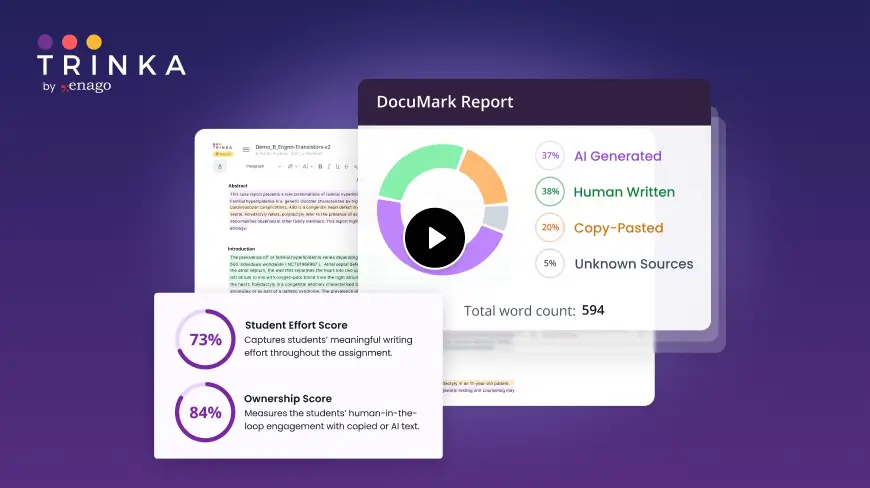
DocuMark: Responsible AI Use for Academic Integrity
Knowing your institution's AI policy is step one. DocuMark helps enforce it fairly by empowering universities to manage AI-generated content, prevent cheating, and support student writing through responsible AI use.
Common Questions About Austin Community College's AI Policies
Austin Community College has defined AI policies in 9 of 12 categories, with an overall coverage score of 75%.
When faculty choose a disclosure-based approach, students are required to acknowledge and cite AI-generated contributions according to assignment instructions. CSIT policy also requires acknowledgment when AI-generated work is submitted and makes students responsible for ensuring submitted work reflects their own understanding. The requirements are presented through course-level or draft syllabus policy language rather than a single universal college-wide rule.
Unauthorized or undisclosed AI use may be treated as academic misconduct and handled through the college's academic integrity process. The academic integrity process does not contain AI-specific detection rules, but it states that cheating can include using unauthorized materials or technology and that suspected violations are reported and adjudicated through the instructor and dean process. Draft AI syllabus language also states that unauthorized AI use may violate academic integrity standards.
The college directs users not to enter sensitive, confidential, or personally identifiable information into public AI tools and to use only institutionally approved tools when available. Guidance emphasizes privacy, FERPA awareness, and careful review of tool terms and outputs. CSIT guidance specifically tells students to use approved AI tools.