Teaching & Learning
- Students are told to follow the syllabus, ask if AI is not mentioned, and ensure submitted work is their own
- When AI is permitted, it may help but not do the work unless the professor explicitly allows that specific use
- AI use for coursework and assignments is at instructor discretion and may vary by course, professor, project, and assignment
In most courses, professors will also include rules for using AI. Read the syllabus carefully and if AI isn’t mentioned, ask the professor about it right away.
Expect that AI policies will vary between professors, courses and even by projects and class assignments. Some faculty members will encourage or even require you to use AI, while others will prohibit it.
Originality: Ensure all work submitted is your own, representing your unique voice and ideas. When permitted, you can use AI tools for help but not to do the work for you, unless your professor says it’s okay to use AI in a specific way.
Faculty are strongly encouraged to specify their AI policy in the course syllabus. Without a clear policy, unintended AI use that contradicts course expectations may occur.
- The materials provided do not state a specific college-wide rule for AI use during exams or quizzes
- AI use in assessments is not governed by a single uniform rule; instead, the syllabus must include a faculty statement on suitable AI use in the course, and professor expectations control
13. Faculty Statement on Suitable AI Use in the Course
Every class has a syllabus that tells you about the plan for learning and the professor’s expectations. In most courses, professors will also include rules for using AI.
Expect that AI policies will vary between professors, courses and even by projects and class assignments.
- Students are also told to read original sources and ensure they can explain and justify what AI helped produce
- The college encourages students to use AI for study support such as tutoring, study notes, quizzes, and concept explanation, but requires critical evaluation and verification of AI output
Study assistance: Use AI tools as a tutor partner; ask it to create study notes, challenge you with quizzes and test your understanding. Make sure you critically evaluate the accuracy of these materials as you study.
Research and information gathering: Ask AI to distill or explain complex concepts in language you can understand. Always critically evaluate AI output to ensure the information is credible and relevant. Read original sources to verify facts and gain a deeper understanding.
F I can explain my findings and demonstrate full understanding without the aid of AI
- The university recognizes that AI tools can generate functional computer code, but course use remains subject to instructor policy
- No separate, programming-specific student rule was found beyond the general requirement to follow course and assignment AI expectations
These tools vary in complexity, from simple spell checks to advanced generation of functional computer code. These guidelines recognize all types of AI that can generate or transform content.
Expect that AI policies will vary between professors, courses and even by projects and class assignments. Some faculty members will encourage or even require you to use AI, while others will prohibit it.
Research
- AI may be used for data analysis and visualization, but users must verify the work and be able to explain and justify the results
- If a project involves personally identifiable information, use of AI tools requires permission from the data steward and compliance with FLC data policies
- The guidance also warns not to use confidential, protected, or copyrighted information and notes that unpublished research results are protected information
Data analysis and visualization: Use AI to interpret and summarize data sets and create data visualizations. Always verify the work and make sure you are able to explain and justify the results.
F I have not used confidential, protected or copyrighted information
If your project involves personally identifiable information (PII), be sure to use AI tools only with the permission of the data steward and in accordance with FLC's data policies.
Protected information includes personal data (e.g., mailing address, social security number, student ID), FLC data (e.g., grades, budget details), and any proprietary data (e.g., results from an unpublished research project).
- No detailed rules for grant proposals or manuscript declarations were stated in the provided text
- The IRB policy expressly includes an appendix for AI in human subjects research, indicating formal research oversight in this area
- The general AI guidance also requires alignment with existing regulations protecting privacy, academic integrity, accessibility, and harmful-content safeguards
Appendix 9 - IRB Guidelines for the use of Artificial Intelligence in Human Subjects Research
AI is one of many technologies used at FLC, and its use will align with existing regulations to protect student privacy, maintain academic integrity, ensure accessibility to those with disabilities, and protect against harmful content.
Academic Integrity
- Students are expected to disclose and cite AI use according to professor and institutional rules
- They are told to document where and how AI was used, properly cite AI-generated content and facts obtained through AI, and ask if citation expectations are unclear
Acknowledgment and attribution: Follow your professors’ and your institution’s rules for acknowledging or citing AI use. If you’re uncertain, ask about it. The APA and MLA both provide guidelines for citing generative AI work.
F I have checked sources generated by AI and properly cited any facts, statistics or quotes
F I have documented where and how I used AI and cited that use according to my professor’s expectations
Do the right thing. Learn to use AI ethically. Ensure that the work you submit is truly your own. Properly disclose and cite how you use AI-generated content.
- Faculty must notify students of allegations, and only faculty may file charges
- Faculty may use legal and ethical methods, including plagiarism detection software, to identify academic integrity violations
- Repeat academic integrity convictions can be marked on transcripts, including permanent marks for suspension or expulsion unless successfully appealed
Faculty may use any legal and ethical method for the identification of an academic integrity violation, including the use of plagiarism detection software.
Faculty must immediately provide the student with notice concerning any allegations of an academic integrity violation.
Only faculty may make a charge of an academic integrity violation.
All convictions of academic integrity violations after the first conviction will be marked on a student’s transcript as either “sanctioned for academic integrity violation,” “suspended for academic integrity violation,” or “expelled for academic integrity violation.”
The mark of “sanctioned for academic integrity violation” will be removed upon graduation. “Suspended for academic integrity violation,” or “expelled for academic integrity violation” will remain on the student’s transcript permanently, unless successfully appealed.
Institutional & Administrative
- Users must not use AI to generate final, unedited copy
- The college also provides faculty and staff training resources for Microsoft Copilot
- Faculty are encouraged to state AI rules in their syllabi, and staff, faculty, and student workers may use AI for institutional content work only with human review
Faculty are strongly encouraged to specify their AI policy in the course syllabus. Without a clear policy, unintended AI use that contradicts course expectations may occur.
This document is a companion to FLC’s institutional AI Guidelines. It provides practical, role-specific guidance for staff, faculty, and student workers using AI tools to support content creation, design, branding, and digital storytelling on behalf of FLC.
AI can be a powerful assistant in content creation, but it requires human review to ensure accuracy and alignment with FLC's brand.
[Do not] Use AI to generate final, unedited copy
Viva Learning gives faculty and staff access to the Microsoft Copilot Training Academy, a set of guided learning resources that explain how Copilot works and how to use it within Microsoft 365.
- AI use involving PII requires data steward permission and compliance with FLC data policies
- FLC directs users to use Microsoft 365 Copilot Chat for most administrative tasks and prohibits using the free consumer version for FLC work
- Students are also warned never to share sensitive, personal, or confidential information with AI tools because information entered into AI is no longer private
For most administrative tasks, Microsoft 365 Copilot Chat is your first stop. It's included with your institutional Microsoft 365 account at no additional cost and provides enterprise-grade data protections.
Do not use the free consumer version (copilot.microsoft.com when signed out) for FLC work.
If your project involves personally identifiable information (PII), be sure to use AI tools only with the permission of the data steward and in accordance with FLC's data policies.
Any information you share with an AI tool is no longer private and may be used in ways you can’t control. Guard your data vigilantly – never share sensitive, personal or confidential information about yourself, others or your organization
Most AI tools reserve the right to use any information you type in as a prompt or upload to the tool to train their models. Protected information includes personal data (e.g., mailing address, social security number, student ID), FLC data (e.g., grades, budget details), and any proprietary data (e.g., results from an unpublished research project).
- Fort Lewis College has a formal AI governance structure with both an AI Governance Group and an AI Resource Group
- The governance framework is campus-wide and focuses on ethical use, transparency, monitoring impact, updating policy, consultation in academic policy, and building resources and infrastructure for AI adoption across faculty, staff, and students
To create a campus-wide policy for governance around AI usage.
Develop and implement guiding principles governing the ethical use of AI.
Promote transparency in AI applications and processes.
Monitor and evaluate the impact of AI technologies on FLC.
Review and update AI policies.
AI policy in the academic domain will include consultation with the Senate, Council of Chairs, and Academic Standards.
The AI Resource Group advances the effective, ethical, and mission‑aligned use of artificial intelligence at Fort Lewis College.
Acts as a bridge to help staff, faculty, and students identify, shape, and implement AI use cases.
Builds and maintains resources, frameworks, and infrastructure needed for successful AI adoption.
Ensures alignment with FLC’s governance standards, including privacy, FERPA, accessibility, and ethical guidelines.
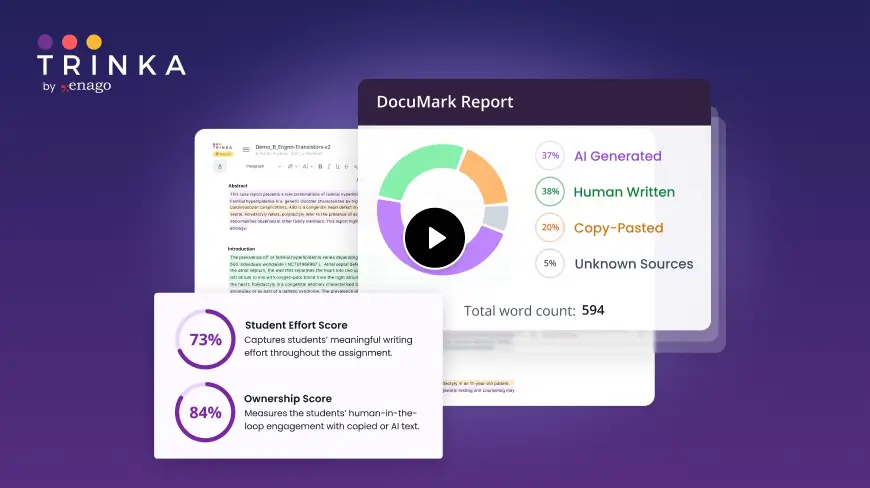
DocuMark: Responsible AI Use for Academic Integrity
Knowing your institution's AI policy is step one. DocuMark helps enforce it fairly by empowering universities to manage AI-generated content, prevent cheating, and support student writing through responsible AI use.
Common Questions About Fort Lewis College's AI Policies
Fort Lewis College has defined AI policies in 11 of 12 categories, with an overall coverage score of 92%.
Students are expected to disclose and cite AI use according to professor and institutional rules. They are told to document where and how AI was used, properly cite AI-generated content and facts obtained through AI, and ask if citation expectations are unclear.
Faculty may use legal and ethical methods, including plagiarism detection software, to identify academic integrity violations. Faculty must notify students of allegations, and only faculty may file charges. Repeat academic integrity convictions can be marked on transcripts, including permanent marks for suspension or expulsion unless successfully appealed.
FLC directs users to use Microsoft 365 Copilot Chat for most administrative tasks and prohibits using the free consumer version for FLC work. AI use involving PII requires data steward permission and compliance with FLC data policies. Students are also warned never to share sensitive, personal, or confidential information with AI tools because information entered into AI is no longer private.