Teaching & Learning
- Use of generative AI in graded coursework is at instructor discretion
- The university provides syllabus statement options ranging from no AI use, to limited authorized use, to open use with documentation, and states that students must follow the policy set by each instructor for the course
Students are responsible for understanding and following the instructor’s policies regarding GenAI use in each course.
No Generative AI Tool Use in this Course
Generative AI tools may not be used in this course or for any work submitted in this course.
Some Generative AI Tool Use Permitted in this Course
Students may use Generative AI tools only in the ways specified by the instructor in this course.
Open Generative AI Tool Use in this Course with Documentation
Students are permitted to use Generative AI tools in this course, but must document and/or cite their use as specified by the instructor.
- Formal assessment use is not governed by a single university-wide allowance; it is handled through course-level rules and assessment design
- USF advises instructors to redesign assessments and use exam conditions that reduce AI use, but the provided sources do not set a uniform student AI exam rule beyond instructor policy
Students are responsible for understanding and following the instructor’s policies regarding GenAI use in each course.
Alternative strategies:
Shift the focus to in-class or oral assessments where students can’t easily access AI.
Use process-based evaluations (outlines, drafts, reflections) instead of only final products.
Apply authentic, real-world tasks that require personal experience, local knowledge, or specific course context.
Break large assignments into smaller checkpoints with feedback along the way.
Incorporate peer review, presentations, or live demonstrations of understanding.
- Students are also directed to follow instructor rules for course-specific use
- The university permits and encourages students to use generative AI as a learning support tool for brainstorming, explanation, summarizing, and practice, while warning that outputs may be inaccurate and should be checked
Generative AI can be a useful assistant to support learning, organization, and creativity—but it also comes with risks and limitations.
Use GenAI to support (not replace) your thinking:
Brainstorm paper topics or project ideas
Get help explaining difficult concepts in simpler language
Create study guides, flashcards, or quiz questions
Draft outlines before writing a first version yourself
Summarize notes or readings (but always verify accuracy)
Practice with examples or prompts before an exam
Remember: AI tools can make mistakes, sound confident when they’re wrong, or reflect bias in their outputs. Always double-check information with your course materials, your professor, or trusted academic sources.
Students are responsible for understanding and following the instructor’s policies regarding GenAI use in each course.
Research
Academic Integrity
- When instructors allow open AI use, students must document or cite that use according to instructor requirements
- The university also tells students to be transparent about how AI contributed to their work and to cite it when required by the course or discipline
Open Generative AI Tool Use in this Course with Documentation
Students are permitted to use Generative AI tools in this course, but must document and/or cite their use as specified by the instructor.
If you use AI in your coursework, be transparent about how you used it. Your professor may ask you to describe or cite your use of AI tools, especially if they contributed to the final product.
Just because AI can generate something quickly doesn’t mean it counts as your original work. If you are unsure whether or how to cite AI-generated content, ask your instructor or follow the citation guidance for your discipline.
- USF states that unauthorized AI use can violate academic integrity rules and be treated as plagiarism or cheating
- It also warns instructors not to rely solely on AI detection tools because they are unreliable and may falsely accuse students, and says detectors should not be used as the only evidence in misconduct cases
Using AI-generated work in place of your own thinking or writing—without permission—may violate your instructor’s expectations and the university’s academic integrity policies.
Depending on the context, this could be considered plagiarism, unauthorized assistance, or another form of academic dishonesty.
Important Reminder:
Detectors can produce false positives and should not be used as sole evidence in academic misconduct cases.
Do not rely solely on AI detection scores. Current tools can produce false positives and should not be used as the sole basis for an academic misconduct allegation.
Institutional & Administrative
- Faculty are allowed to use generative AI in teaching preparation and may set their own course policies, but they are advised to keep human judgment over grading and feedback
- The university recommends using AI to assist with planning, drafting, and idea generation rather than replacing instructor expertise or entering sensitive student information
Faculty can use Generative AI tools to support teaching, learning, and administrative tasks, but should do so thoughtfully, transparently, and in alignment with university policies on data privacy, accessibility, and academic integrity.
Potential uses include:
Drafting quiz questions, discussion prompts, rubrics, and assignment instructions
Brainstorming lesson plans or in-class activities
Generating examples, case studies, or practice problems
Summarizing student feedback themes or course evaluations
Creating alternative explanations of course concepts at different levels
Use GenAI as a starting point, not a substitute for your expertise. Review and revise outputs for accuracy, relevance, bias, and tone before sharing with students.
Do not input confidential, sensitive, or personally identifiable student information into public AI tools.
Establishing your policy on AI and clearly communicating it to students in your syllabus and class discussions is the first step in creating a learning environment in which AI can support, rather than undermine, students’ educational journeys.
Maintain human oversight and final judgment.
AI should support, not replace, instructor evaluation. Any feedback or grading suggestions generated by AI must be reviewed by the instructor before being shared with students or used in assessment.
- USF prohibits entering confidential, sensitive, or personally identifiable information into public AI tools
- It also identifies institutionally supported AI-enabled platforms such as Turnitin and Zoom AI Companion, indicating that their use is subject to university guidance and privacy considerations
Do not input confidential, sensitive, or personally identifiable student information into public AI tools.
Generative AI tools should never be used with data classified as confidential or restricted unless explicitly approved by the university.
Turnitin’s AI writing detection feature is available within Canvas assignments submitted through Turnitin.
Zoom AI Companion is available to USF faculty, staff, and students with licensed Zoom accounts.
- The sources present guiding principles and implementation guidance rather than a centralized governance framework
- USF has university-level guidance framing AI use around academic integrity, privacy, accessibility, and thoughtful adoption in teaching and learning, but the provided materials do not establish a formal overarching AI governance body or comprehensive strategy document
USF encourages thoughtful and ethical use of generative AI technologies in ways that support learning, teaching, and innovation while maintaining our commitments to academic integrity, privacy, accessibility, and human judgment.
At USF, our approach to generative AI is grounded in pedagogical choice—not panic or prohibition.
There is no one-size-fits-all response. Different disciplines, assignments, and learning goals call for different approaches.
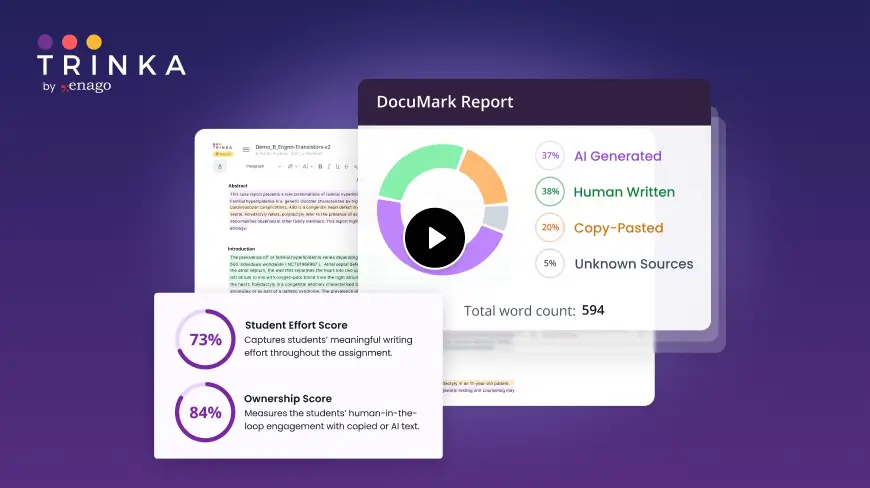
DocuMark: Responsible AI Use for Academic Integrity
Knowing your institution's AI policy is step one. DocuMark helps enforce it fairly by empowering universities to manage AI-generated content, prevent cheating, and support student writing through responsible AI use.
Common Questions About University of San Francisco's AI Policies
University of San Francisco has defined AI policies in 8 of 12 categories, with an overall coverage score of 67%.
When instructors allow open AI use, students must document or cite that use according to instructor requirements. The university also tells students to be transparent about how AI contributed to their work and to cite it when required by the course or discipline.
USF states that unauthorized AI use can violate academic integrity rules and be treated as plagiarism or cheating. It also warns instructors not to rely solely on AI detection tools because they are unreliable and may falsely accuse students, and says detectors should not be used as the only evidence in misconduct cases.
USF prohibits entering confidential, sensitive, or personally identifiable information into public AI tools. It also identifies institutionally supported AI-enabled platforms such as Turnitin and Zoom AI Companion, indicating that their use is subject to university guidance and privacy considerations.