
AI Content Detection: What Educators Need to Know in 2026

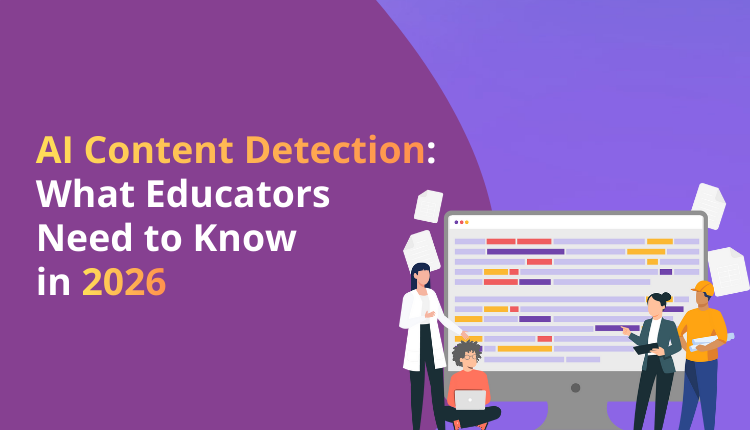
AI detection tools have become standard in education, but their accuracy remains imperfect. Educators face difficult decisions about when to trust these tools and when to look deeper. False positives occur when authentic student writing gets flagged, while false negatives miss AI-generated content. The complexity increases when students use AI tools legitimately for editing and improvement. Trinka’s free AI content detector helps educators understand how detection systems analyze text, providing transparency into what triggers AI flags.
The tool offers educators a way to verify concerns about student work before making accusations. Understanding how these systems work, their limitations, and best practices for their use helps you make fair, informed decisions about academic integrity in your classroom.
How Detection Technology Works in 2026
AI detectors analyze patterns in text. They look at word choice predictability, sentence structure uniformity, and stylistic consistency. The technology compares submitted text against patterns learned from millions of AI-generated samples during training.
Detection algorithms assign probability scores rather than definitive answers. A score of 85% means the system thinks the text has an 85% chance of being AI-generated. This probabilistic nature creates uncertainty. No detector offers 100% accuracy.
Current systems struggle with mixed content where students write original work but use AI for editing or specific sections. The detector sees AI patterns without knowing whether they represent generation or revision. This limitation creates the biggest challenge for fair assessment.
Understanding False Positive Rates
Studies from late 2025 show false positive rates ranging from 5% to 15% depending on the detector and text type. For a class of 30 students, this means 1 to 4 students might get wrongly flagged for AI use on any given assignment.
Certain student populations face higher false positive rates. Non-native English speakers who learned formal grammar through instruction often write in patterns resembling AI output. Students with strong writing skills produce clear, well-structured prose that detectors sometimes misidentify as machine generated.
Technical and scientific writing triggers false positives more frequently. These genres require formal language and standardized terminology. The resulting uniformity mirrors AI-generated academic writing, causing detection errors.
When to Trust Detection Results
High-confidence scores above 90% warrant investigation but not immediate conclusions. Check the flagged content against the student’s previous work. Look for sudden changes in writing quality, vocabulary sophistication, or style consistency.
Request a conversation with the student about their writing process. Ask specific questions about their research, outline development, and revision choices. Genuine authors discuss their work naturally and explain specific decisions. Students who used AI extensively struggle to explain choices they didn’t make.
Consider assignment context. Take-home essays allow more AI use opportunity than in-class writing. Compare the flagged work against timed writing samples you know the student produced independently.
Building Detection-Resistant Assignments
Design assignments where AI tools provide limited value. Ask students to connect course material to personal experiences AI systems cannot access. Include requirements for specific class discussions, local examples, or individual research interviews.
Incorporate process documentation into assignments. Require students to submit outlines, rough drafts, and revision notes alongside final papers. This documentation reveals authentic writing development over time.
Use scaffolded assignments with staged deadlines. Breaking large projects into proposal, draft, and final versions with feedback between stages makes wholesale AI generation impractical. Students benefit from structure while you gain insight into their process.
Creating Clear AI Use Policies
Students need explicit guidance on acceptable AI use in your course. Specify which tools students may use and for what purposes. Allow grammar checking but prohibit content generation or permit brainstorming assistance but require original writing.
Explain your reasoning for these policies. Students understand restrictions better when they grasp the learning goals at stake. If you want them to develop research skills, explain why AI-generated literature reviews undermine this objective.
Update policies based on student questions and emerging scenarios. The AI tool environment changes constantly. Revisit guidelines each semester and address new situations as they arise.
Teaching Digital Literacy and Ethics
Help students understand detection technology limitations and capabilities. Discuss false positives, explain how detectors work, and acknowledge uncertainty in results. This transparency builds trust and encourages honest communication.
Frame AI use as an ethical choice rather than a detection avoidance problem. Students who understand why original work matters make better decisions than those who simply fear getting caught. Discuss long-term consequences of outsourcing thinking to AI systems.
Teach appropriate AI tool use as a skill. Show students how to use AI for brainstorming, outline checking, and editing while maintaining authorship and intellectual engagement. These skills serve them after graduation when AI use becomes routine in many careers.
Responding to Suspected AI Use
Start with curiosity rather than accusation. Express concern about the flagged work and ask the student to explain their process. Many situations resolve when students provide documentation or discuss their work convincingly.
Focus on learning opportunities. If a student did use AI inappropriately, understand why they made this choice. Time pressure, lack of confidence, or misunderstanding of expectations often drive these decisions. Address underlying issues alongside academic integrity concerns.
Document everything. Keep records of detection scores, student conversations, and any evidence you gather. If the situation escalates to formal proceedings, thorough documentation protects both you and the student.
Trinka’s free AI content detector supports fair evaluation practices. Visit Trinka.ai and access the AI detector tool. Paste the student text you want to analyze into the interface. The system generates a probability score indicating the likelihood of AI generation. Review the analysis to understand which sections show AI patterns. Use this information as one data point in your evaluation, not as definitive proof. Discuss results with students transparently, explaining what the detector found and why it raised concerns. Combine detector results with your knowledge of the student’s abilities, previous work samples, and their explanation of their process.
This comprehensive approach respects student dignity while maintaining academic standards in an environment where AI tools are increasingly common.
Frequently Asked Questions
How accurate are AI detection tools in identifying student use of AI writing tools?▼
Current AI detectors achieve 85% to 95% accuracy in controlled tests, but real-world classroom accuracy is lower due to false positives and difficulty distinguishing AI-assisted editing from AI-generated content. No detector provides definitive proof of AI use.
What should educators do when detection results conflict with their knowledge of a student?▼
Prioritize your direct knowledge of the student over detection scores, especially for students with consistent writing quality. Use detection results as a starting point for conversation, not as conclusive evidence, and examine previous work samples for comparison.
Should educators ban all AI tool use in their courses?▼
Complete bans ignore the reality of AI integration in professional and academic work while limiting valuable learning opportunities. Instead, create clear policies distinguishing acceptable AI assistance for editing and research from inappropriate use for content generation.

-
Go beyond grammar & spelling
Get holistic language improvements - Write with Trinka